
Chrome Extension
AyaMir
Protect your time, build your legacy.
A free, local-first Chrome extension for deep focus and productivity. Pomodoro timer, site blocking, typing penalty, smart task queue, gamification. No servers, no tracking.
Features
Command Palette
Ctrl+Shift+K from any page. Add tasks, start focus, search — without touching the mouse.
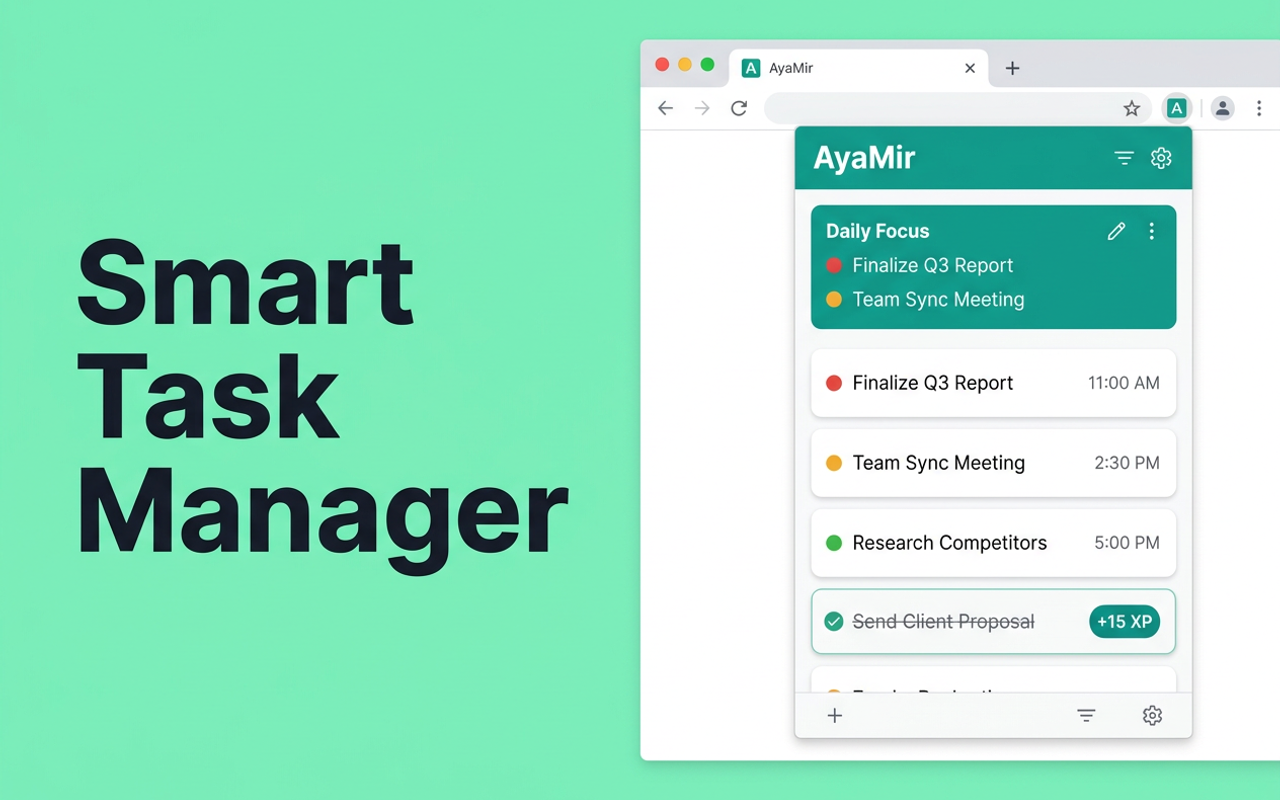
Smart Task Queue
Prioritized tasks with inline editing, snooze, auto-capture URL from current tab.
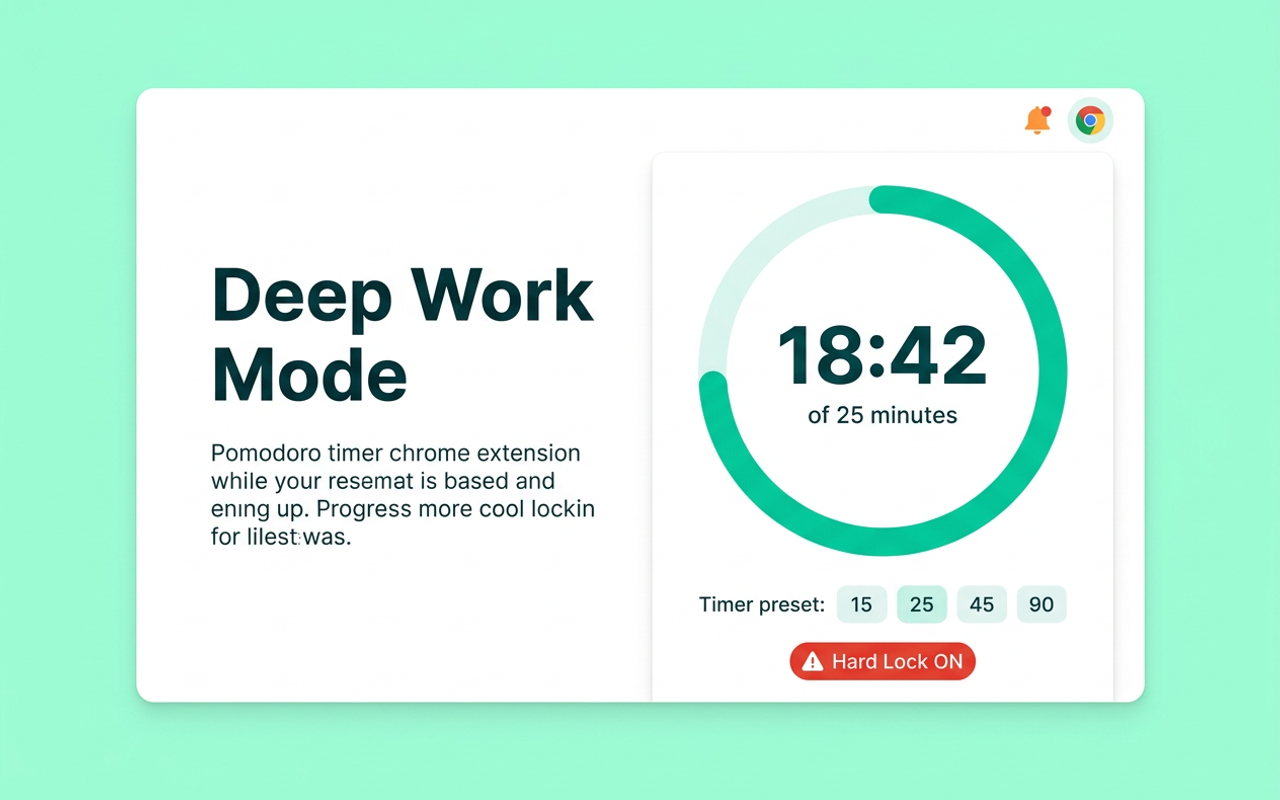
Deep Work Mode
Pomodoro timer with 15/25/45/60/90 min sessions. Circular progress ring. Hard Lock option.
Site Blocking
29 pre-configured sites across Social, News, Entertainment, Shopping. Add custom domains.
Typing Penalty
Want to bypass a block? Type a motivational quote first. Friction that actually works.
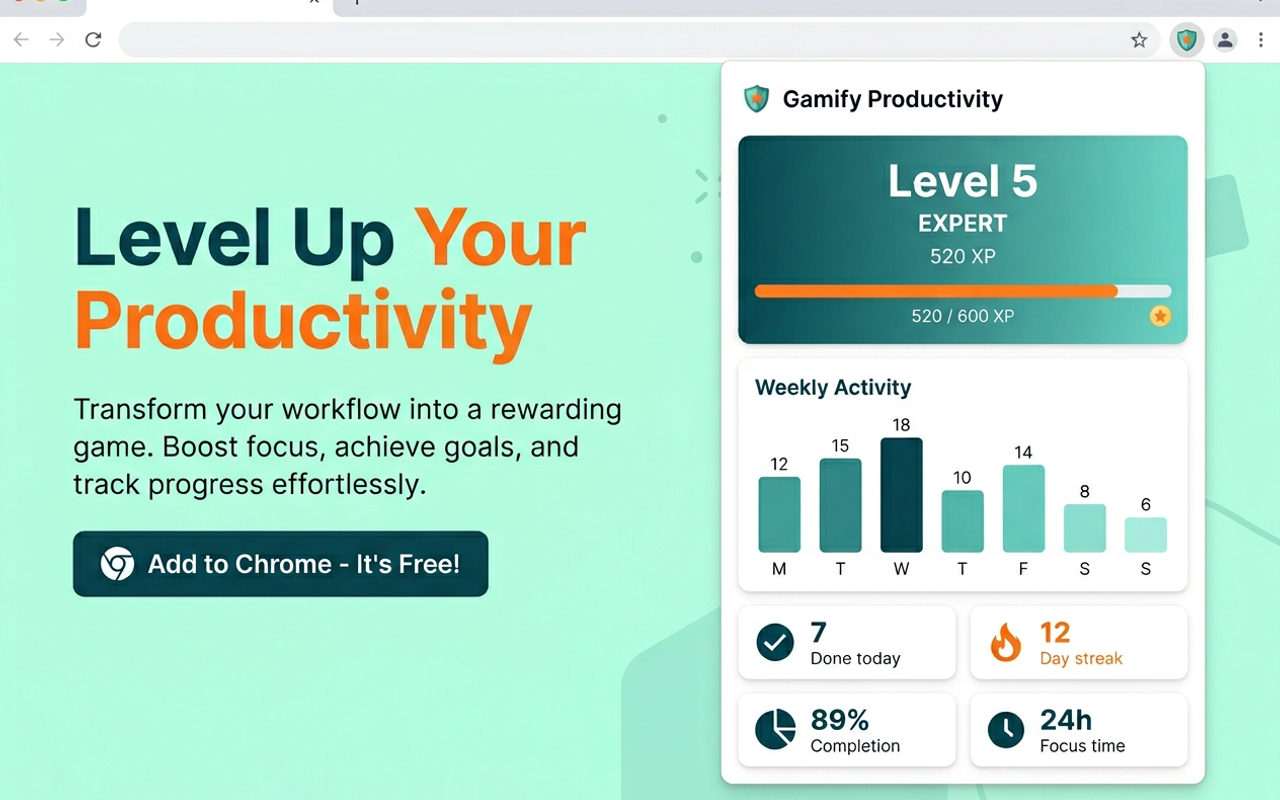
Focus Analytics
Session history, weekly chart, streaks. See how your focus time stacks up.
Gamification
XP system, 10 levels, 8 achievements, daily streaks. Stay motivated long-term.
Scheduled Blocking
Auto-block distracting sites during work hours. Set it once, forget about it.
5 Languages
English, Russian, Spanish, Chinese, Hindi. Fully localized interface.
100% Local
No servers. No accounts. No tracking. All data stays on your device.
Data Export/Import
Full JSON backup and restore. You own your data completely.
See It in Action

How It Works
Install
Add AyaMir to Chrome in one click. No account needed.
Configure
Pick your blocked sites, set focus duration, enable hard lock mode.
Focus
Hit Ctrl+Shift+K, start a session, and get into deep work.
Track
Review your focus analytics, level up, and build consistency.
Built With
Privacy First
100% local. Zero tracking.
AyaMir has no servers, no accounts, no analytics, no cloud sync. All your tasks, sessions, and settings stay on your device. Always. We don't even know you installed it.
Read full privacy policy →Comparison
AyaMir vs Alternatives
| Feature | AyaMir | StayFocusd | Cold Turkey | Forest |
|---|---|---|---|---|
| Task Manager | Yes | No | No | No |
| Pomodoro Timer | Yes | No | No | Yes |
| Site Blocker | Yes | Yes | Yes | No |
| Gamification (XP) | Yes | No | No | Yes |
| Free Core Features | Yes | Yes | No | No |
| No Account Required | Yes | Yes | Yes | No |
| Works Offline | Yes | Yes | Yes | No |
| Open Source | Yes | No | No | No |
| Command Palette | Yes | No | No | No |
| Hard Lock Mode | Yes | No | Yes | No |
FAQ
Is AyaMir really free?
Yes. All core features — tasks, Pomodoro, site blocking, gamification — are free. No ads, no tracking. Open source under MIT License.
Does AyaMir collect my data?
No. AyaMir makes zero network requests. All tasks, settings, and statistics stay in your browser using IndexedDB and Chrome Storage API. Nothing ever leaves your device.
How is AyaMir different from StayFocusd or Cold Turkey?
AyaMir combines four tools in one: task manager, Pomodoro timer, website blocker, and gamification. Competitors focus on just site blocking. AyaMir is also free and open source.
Can I use AyaMir as a Pomodoro timer?
Yes. AyaMir includes a full Pomodoro timer with presets (15, 25, 45, 60, 90 minutes), break timer, circular progress ring, and Hard Lock Mode that prevents canceling.
Does AyaMir work offline?
Yes. AyaMir makes zero network requests and works completely offline. All features work without internet.
Ready to focus?
Free. No account. No setup. Just install and start your first deep work session.
Install AyaMir — It's Free