Best Webinar Software in 2026 Compared
Direct Answer: The Best Webinar Software Right Now
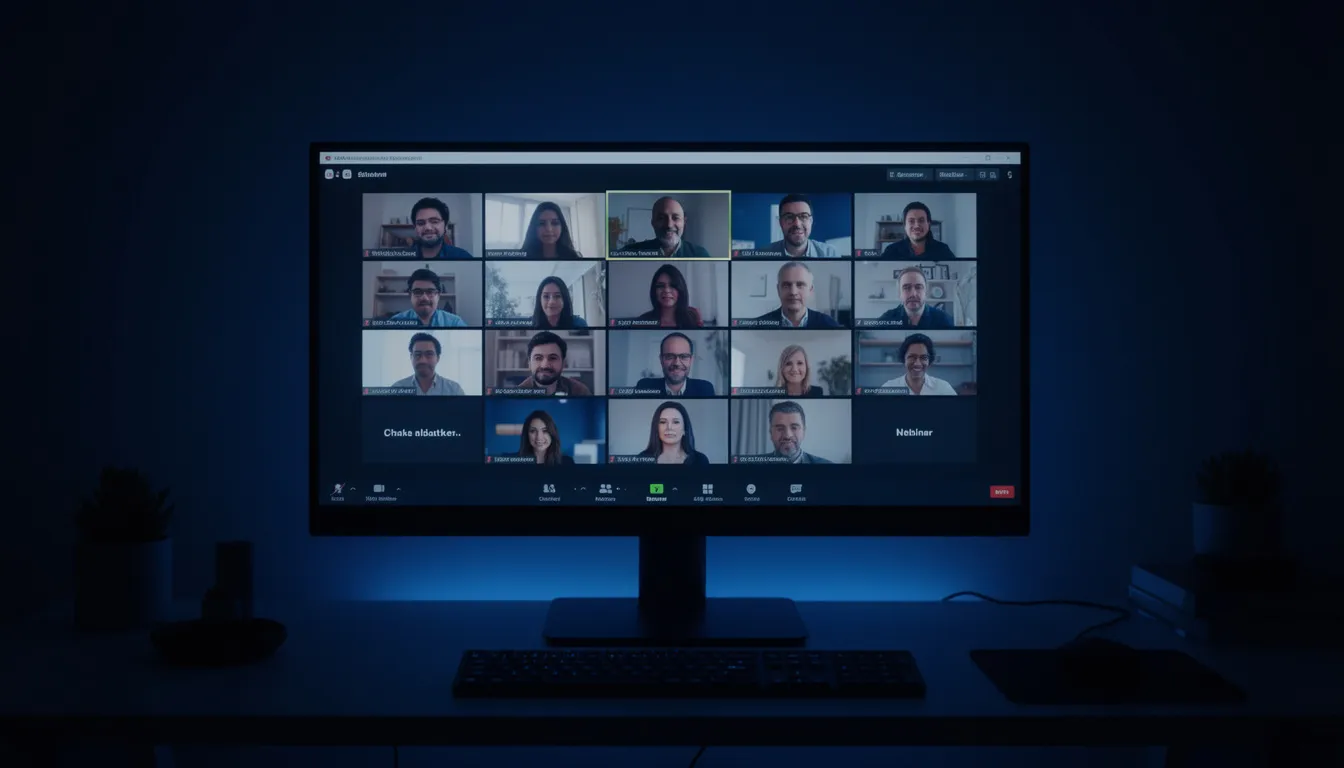
The best webinar software depends on your use case. For marketing teams running lead-gen webinars, Demio offers the best balance of engagement features, registration pages, and analytics without requiring attendees to download anything. For companies already using Zoom, Zoom Webinars is the most cost-effective upgrade at scale. For automated and on-demand webinars, eWebinar eliminates the need for live presenters entirely. For enterprise events with 10,000+ attendees, ON24 provides the deepest analytics and CRM integration. There is no single best platform, the right choice depends on whether you prioritize ease of use, attendee capacity, engagement tools, automation, or analytics.
Webinar software has evolved far beyond screen-sharing with a chat box. In 2026, the category spans everything from simple browser-based meeting tools to full-scale virtual event platforms with AI-generated follow-up emails, real-time sentiment analysis, and automated attendee scoring that syncs directly to your CRM.
The problem is not a lack of options, it is too many options. There are over 40 webinar platforms available, and most comparison articles just list features without telling you which ones actually matter for your specific use case.
This guide is different. It covers 9 platforms with honest pros and cons, a pricing comparison table, and specific recommendations by use case. No affiliate bias, just an assessment of which tool works best for marketing teams, training departments, product demos, and company all-hands.
What to Look For in Webinar Software
Before comparing platforms, define what actually matters for your use case. Not every feature is relevant to every team.
Must-Have Features for Marketing Webinars
| Feature | Why It Matters |
|---|---|
| Browser-based (no download) | Every additional step between registration and attendance reduces show-up rate. Requiring a download can drop attendance by 20-30%. |
| Custom registration pages | Branded landing pages convert better than generic forms. You need custom fields to qualify leads. |
| Email reminders | Automated pre-webinar reminders (24 hours, 1 hour, 15 minutes before) increase attendance by 20-40%. |
| Engagement tools | Polls, Q&A, chat, handouts, and CTAs keep attendees engaged and generate data. |
| Recording and replay | 40-60% of registrants never attend live. On-demand replay captures that audience. |
| Analytics and reporting | Registration-to-attendance rate, engagement score, drop-off points, CTA clicks. |
| CRM integration | Lead data needs to flow to HubSpot, Salesforce, or your CRM automatically, not via CSV export. |
Must-Have Features for Training Webinars
| Feature | Why It Matters |
|---|---|
| Breakout rooms | Small group discussions improve learning outcomes |
| Screen sharing with annotation | Trainers need to demonstrate and mark up content |
| Quizzes and assessments | Verify comprehension, not just attendance |
| Certificates of completion | Required for compliance and professional development |
| LMS integration | Connect to your learning management system |
Must-Have Features for Large Events (500+ Attendees)
| Feature | Why It Matters |
|---|---|
| Scalability | Can handle 1,000-10,000+ concurrent attendees without lag |
| Multi-presenter support | Panel discussions, keynotes with handoffs |
| Backstage/green room | Speakers prepare without being visible to attendees |
| Sponsor/exhibitor areas | Revenue generation for event organizers |
| Simultaneous interpretation | Multi-language support for global audiences |
Best Webinar Software: Platform Reviews
These are the most effective options available, ranked by practical value.
1. Zoom Webinars
Best for: Teams already using Zoom who need to scale beyond meetings.
Zoom Webinars is an add-on to Zoom Workplace (formerly Zoom Meetings). It extends the familiar Zoom interface with webinar-specific features: registration pages, panelist/attendee separation, practice sessions, and post-webinar reporting.
Pros:
- Most attendees already know how to use Zoom, near-zero learning curve
- Reliable video and audio quality, even at scale
- Strong breakout room functionality for workshops
- Integrates with most CRMs and marketing platforms
- Competitive pricing for large attendee counts
- Zoom AI Companion generates summaries and follow-up emails
Cons:
- Requires download for best experience (browser client is limited)
- Registration pages are basic, you will likely need a third-party landing page
- Analytics are functional but not deep compared to marketing-focused platforms
- The attendee experience feels like a “meeting” not a “webinar”, less polished branding
- Limited engagement tools compared to Demio or Livestorm
Pricing:
- Zoom Webinars: starts at $66.67/month (300 attendees) billed annually
- Zoom Webinars Plus: starts at $82.50/month (includes more engagement features)
- Zoom Events: starts at $124.17/month (includes expo and networking)
- Up to 50,000 attendees on enterprise plans
Verdict: If your team already uses Zoom and you need a reliable, scalable webinar platform without migrating to a new tool, Zoom Webinars is the pragmatic choice. Not the best for marketing-driven webinars where branding and attendee experience matter.
2. Demio
Best for: Marketing teams running lead-generation webinars.
Demio was built specifically for marketers. It runs entirely in the browser (no download), offers beautiful registration pages, and provides engagement analytics that tell you which attendees were most engaged, not just who showed up.
Pros:
- 100% browser-based, no app download, no plugins, works on any device
- Excellent registration page builder with custom branding
- Built-in engagement scoring (combines poll responses, chat activity, CTA clicks, attendance time)
- Automated webinar and on-demand replay functionality
- Clean, intuitive interface that does not require training
- Strong HubSpot, Marketo, and Salesforce integrations
- Handout and CTA features let you push offers mid-webinar
Cons:
- Maximum 1,000 attendees on the highest plan, not for large-scale events
- No breakout rooms, not suitable for interactive workshops
- Limited customization for advanced use cases
- Reporting is good for marketing but lacks depth for training/compliance
- Higher price per attendee than Zoom at scale
Pricing:
- Starter: $45/month (50 attendees, billed annually)
- Growth: from $109/month (150–3,000 attendees)
- Premium: from $196/month (150–3,000 attendees)
- Unlimited: custom pricing
- All plans include automated webinars and on-demand
Verdict: The best option for marketing teams that care about the attendee experience, engagement data, and lead quality over raw attendee count. If you run fewer than 500-person webinars focused on lead gen, Demio is the top pick.
3. Livestorm
Best for: Companies that need webinars + virtual meetings + video events in one platform.
Livestorm positions itself as a “video engagement platform” rather than just webinar software. It handles webinars, meetings, and virtual events in a single tool with strong automation and analytics.
Pros:
- Browser-based, no download required
- Excellent automation (triggers, workflows, email sequences built-in)
- Engagement features: polls, Q&A, reactions, file sharing, virtual backgrounds
- Multi-session events (conferences with multiple tracks)
- Strong native integrations (HubSpot, Salesforce, Slack, Zapier)
- GDPR compliant with EU data hosting (important for European companies)
- AI-powered insights and transcription
Cons:
- Interface can feel complex for first-time users
- Video quality occasionally lags behind Zoom on poor connections
- Premium pricing compared to competitors, the free plan is very limited
- Custom branding requires higher-tier plans
- Analytics, while good, are not as marketing-specific as Demio’s engagement scoring
Pricing:
- Free: up to 10 registrants, 20 minutes max
- Pro: $99/month/host (100 attendees)
- Business: custom pricing (500+ attendees)
- Enterprise: custom pricing (3,000+ attendees)
Verdict: Strong choice for companies that want one platform for webinars, meetings, and events. Especially good for European companies that need GDPR compliance. The automation engine is one of the best in the category.
4. GoTo Webinar
Best for: Mid-market companies that need a proven, reliable webinar platform.
GoTo Webinar (now part of the GoTo suite) has been in the webinar space since 2003. It is one of the most established platforms, used primarily by mid-market B2B companies for demand gen, training, and company communications.
Pros:
- Extremely reliable, 20+ years of infrastructure, rarely goes down
- Good engagement tools: polls, surveys, handouts, Q&A, drawing tools
- reliable recording and on-demand capabilities
- Strong reporting with attendee attention tracking
- Supports up to 3,000 attendees
- Channel webinar feature for always-on, on-demand content
- Integrations with major CRMs and marketing platforms
Cons:
- Interface feels dated compared to Demio or Livestorm
- Requires GoTo app download for presenters (attendees can use browser)
- Registration pages are functional but not beautiful
- Pricing is per-organizer, which adds up for teams
- Limited innovation compared to newer competitors
- Mobile experience is mediocre
Pricing:
- Lite: $49/month (250 attendees)
- Standard: $99/month (500 attendees)
- Pro: $199/month (1,000 attendees)
- Enterprise: $399/month (3,000 attendees)
Verdict: If reliability is your top priority and you do not need cutting-edge design or AI features, GoTo Webinar is a safe choice. It does everything competently. It does nothing exceptionally.
5. Webex Webinars
Best for: Enterprise companies already in the Cisco ecosystem.
Webex Webinars (formerly Webex Events) is Cisco’s enterprise webinar solution. It scales to 100,000 attendees and integrates deeply with the Webex suite.
Pros:
- Massive scale: up to 10,000 interactive attendees or 100,000 in webcast mode
- Enterprise-grade security and compliance (FedRAMP, HIPAA, SOC 2)
- Real-time translation in 100+ languages
- Excellent audio and video quality
- Backstage area for speaker prep
- Post-event analytics with attendee engagement scoring
- Deep integration with Salesforce
Cons:
- Complex setup and administration
- Pricing is opaque, requires sales conversation
- The interface feels enterprise-heavy (not intuitive for small teams)
- Overkill for companies running 50-200 person webinars
- Attendee experience is professional but not warm, feels corporate
- Requires Webex app for best experience
Pricing:
- Webex Webinars is bundled with Webex Suite enterprise plans
- Standalone pricing starts around $225/month for 1,000 attendees
- Custom pricing for larger deployments
- Contact sales for exact pricing
Verdict: The right choice for large enterprises that need scale, security, and compliance. Not the right choice for marketing teams at startups or mid-market companies, too complex and too expensive for small events.
6. ON24
Best for: Enterprise B2B marketing teams that need deep analytics and engagement data.
ON24 is not a video conferencing tool that added webinar features. It is a purpose-built webinar and virtual event platform designed for B2B demand generation, with analytics depth that no competitor matches.
Pros:
- Industry-leading analytics: engagement scoring, content consumption tracking, individual-level behavioral data
- AI-powered audience insights and recommended actions
- Brandable webinar consoles (fully customized, not just your logo on a template)
- Content hub for on-demand webinar libraries
- Deep CRM integration (Salesforce, Marketo, HubSpot, Eloqua)
- Interactive tools: polls, surveys, Q&A, resource lists, CTAs
- Multi-language support with simultaneous interpretation
Cons:
- Expensive, enterprise pricing starts at $10,000+/year
- Not intuitive, significant onboarding and training required
- Overkill for teams running occasional webinars
- Attendee experience can feel heavy (the branded console loads slower than browser-native tools)
- No free trial, you must go through a sales process
- Best for pre-recorded and simulive content; live production quality can lag behind Zoom
Pricing:
- Custom pricing based on attendee volume and features
- Entry-level plans typically start at $10,000-$15,000/year
- Enterprise plans: $25,000-$100,000+/year
- No monthly billing option
Verdict: If webinars are a primary demand-gen channel and you need to prove ROI with detailed analytics, ON24 is the gold standard. If you run fewer than 12 webinars per year, the cost is hard to justify.
7. BigMarker
Best for: Content creators and media companies monetizing webinars.
BigMarker focuses on content creation and distribution. It supports live, pre-recorded, and hybrid webinars with a focus on turning webinars into ongoing content assets.
Pros:
- Embeddable webinars (run webinars directly on your website)
- Landing page builder with A/B testing
- Pop-up webinar feature (trigger a webinar from any page)
- Strong automation for series and recurring webinars
- White-label capabilities for agencies and media companies
- Supports up to 10,000 attendees
- Good engagement features: polls, Q&A, handouts, offers
Cons:
- Video quality does not match Zoom or Webex
- Interface is functional but not polished
- CRM integrations work but are not as deep as ON24 or Demio
- Customer support quality is inconsistent
- Learning curve for advanced features like embedded webinars
- Pricing is not transparent
Pricing:
- Starter: $79/month (100 attendees)
- Elite: $159/month (500 attendees)
- Premier: $299/month (1,000 attendees)
- White-label and enterprise: custom pricing
Verdict: Unique in the category for embeddable webinars and content monetization. Good for media companies, course creators, and businesses that want to run webinars natively on their website.
8. eWebinar
Best for: Automated and on-demand webinars that run without a live presenter.
eWebinar takes a fundamentally different approach. You record your webinar once, and eWebinar runs it on a schedule with interactive elements (chat, polls, offers) that simulate a live experience. The chat is real, you or your team respond to attendees in real-time or asynchronously.
Pros:
- Eliminates the need for live presenters, scale webinars without scaling people
- Attendees can join on their schedule (just-in-time sessions every 15-30 minutes)
- Real chat interaction even during automated sessions
- Show-up rates are dramatically higher than traditional webinars (60-80% vs 30-40%)
- Perfect for recurring content: onboarding, product demos, training
- Simple setup: upload video, add interactions, set schedule
- Integrations with HubSpot, Salesforce, Zapier
Cons:
- Not for live events, if you need live Q&A with a panel, this is not the tool
- Limited to pre-recorded content (you cannot do live presentations)
- Chat responses require human monitoring (or you respond later via email)
- Fewer engagement features than live platforms
- Does not support multi-speaker panels
- No breakout rooms or interactive workshops
Pricing:
- Level 1: $99/month (1 webinar, unlimited attendees)
- Level 2: $199/month (2-5 webinars)
- Level 3: $299/month (6-15 webinars)
- Level 4: $499/month (25 webinars)
- Enterprise: custom pricing
Verdict: If you are running the same webinar repeatedly (product demos, onboarding, sales presentations), eWebinar saves enormous amounts of time while actually increasing attendance rates. Not a replacement for live events.
9. StreamYard
Best for: Budget-conscious teams that need professional-looking live streams and webinars.
StreamYard is a browser-based live streaming and webinar tool focused on simplicity and visual polish. It is popular with content creators but increasingly used by marketing teams for webinars and virtual events.
Pros:
- Extremely easy to use, minimal learning curve
- Professional-looking branded layouts (overlays, backgrounds, lower thirds)
- Simultaneous streaming to YouTube, LinkedIn, Facebook, and Twitch
- Browser-based, no download for presenters or attendees
- Good for panel discussions with up to 10 on-screen participants
- Affordable pricing
- Built-in recording and clip creation
Cons:
- Limited webinar-specific features (no registration pages, no engagement scoring)
- No native CRM integration, you need Zapier or manual export
- Analytics are basic compared to marketing-focused platforms
- No automated/on-demand webinar capability
- Chat moderation is basic
- Not designed for lead-gen webinars, you need external registration (landing page + form)
Pricing:
- Free: StreamYard branding, 6 on-screen participants
- Basic: $20/month (no branding, 10 participants)
- Professional: $39/month (full HD, custom RTMP)
- Premium: $99/month (multi-streaming to 8 destinations)
- Business: $199/month (dedicated support, subaccounts)
Verdict: Best value if you need professional live production on a budget. Not ideal for lead-gen webinars because it lacks registration, automation, and CRM integration. Pair it with a landing page tool and Zapier if you want to use it for marketing.
Pricing Comparison Table
Here is a side-by-side comparison of the key differences.
| Platform | Starter Price | 500 Attendees | 1,000 Attendees | Free Plan |
|---|---|---|---|---|
| Zoom Webinars | $66.67/mo | ~$79/mo | ~$165/mo | No |
| Demio | $45/mo | From $196/mo | Custom | No |
| Livestorm | $99/mo/host | Custom | Custom | Yes (10 reg, 20 min) |
| GoTo Webinar | $49/mo | $99/mo | $199/mo | No |
| Webex Webinars | ~$225/mo | ~$225/mo | ~$225/mo | No |
| ON24 | ~$833/mo ($10k/yr) | Included | Included | No |
| BigMarker | $79/mo | $159/mo | $299/mo | No |
| eWebinar | $99/mo | Unlimited | Unlimited | No |
| StreamYard | $20/mo | N/A (streaming) | N/A (streaming) | Yes (branded) |
Notes:
- Pricing changes frequently, verify on each platform’s website
- Zoom and GoTo Webinar are the most cost-effective at high attendee counts
- eWebinar pricing is per-webinar, not per-attendee, attractive for high-volume recurring content
- ON24 pricing is typically annual contract only
- Livestorm charges per host, which makes multi-presenter setups expensive
Webinar Software by Use Case
These are the most effective options available, ranked by practical value.
Lead Generation Webinars
Best choice: Demio (up to 1,000 attendees) or ON24 (enterprise scale)
Why: Both platforms are built for marketing. They offer engagement scoring that identifies your hottest leads, native CRM integration that pushes data to your sales team automatically, and on-demand replay that captures attendees who did not show up live.
Key workflow:
- Create branded registration page with qualifying fields
- Set up automated reminder sequence (24h, 1h, 15min)
- Run webinar with polls, CTAs, and resource downloads
- Engagement score syncs to CRM as lead score modifier
- Sales team follows up with most-engaged attendees first
Training and Education
Best choice: Zoom Webinars (interactive) or GoTo Webinar (structured)
Why: Training requires interaction, breakout rooms, screen sharing with annotation, quizzes, and participation tracking. Zoom’s breakout room functionality is the best in the category. GoTo Webinar’s attention tracking tells you who was actually engaged during the session.
Product Demos
Best choice: eWebinar (automated) or Demio (live)
Why: Product demos are typically the same content delivered repeatedly to different audiences. eWebinar lets you record once and run on autopilot with just-in-time scheduling, prospects pick a time that works for them and get the demo immediately. For live demos with Q&A, Demio’s clean interface and CTA features work well.
Company All-Hands
Best choice: Zoom Webinars or Webex Webinars
Why: Internal communications need reliability, scale, and simplicity. Employees already know how to use Zoom or Webex. You do not need marketing analytics or engagement scoring for an all-hands, you need stable video, screen sharing, and Q&A.
Hybrid and Large-Scale Events
Best choice: Webex Webinars (10,000+) or ON24 (enterprise marketing events)
Why: Scale events need infrastructure that smaller platforms cannot provide. Webex handles up to 100,000 attendees in webcast mode. ON24 provides the content hub and analytics that enterprise marketing teams need to measure event ROI.
Content Creation and Multi-Platform Streaming
Best choice: StreamYard
Why: If your primary goal is creating content that streams simultaneously to YouTube, LinkedIn, and Facebook, StreamYard is purpose-built for this. It is not webinar software in the traditional sense, but it is the best live production tool for content-first teams.
Free Webinar Software Options
Free is tempting but comes with limitations. Here is what is actually available:
| Platform | Free Tier Details | Biggest Limitations |
|---|---|---|
| Livestorm | 10 registrants, 20-minute max | Too short for most webinars |
| StreamYard | Unlimited, StreamYard branding | No registration, no analytics, branded |
| Google Meet | 100 participants, 60 minutes | No webinar features (registration, polls, analytics) |
| YouTube Live | Unlimited viewers | No registration, no engagement tools, delayed interaction |
| Zoom (basic) | 100 participants, 40 minutes | No webinar features, time limit |
| Microsoft Teams (free) | 100 participants, 60 minutes | No webinar features |
Honest assessment: Free options work for internal meetings and casual live streams. They do not work for marketing webinars where you need registration, engagement tracking, and CRM integration. If webinars are a marketing channel, budget for a paid tool.
Exception: If you are just starting out and want to test whether webinars work for your audience, run a few sessions on YouTube Live or Zoom’s free tier. If they generate results, upgrade to a proper platform.
How to Choose Webinar Software
Follow this process from start to finish.
Step 1: Define Your Primary Use Case
Do not buy based on features. Buy based on what you are actually going to use the software for 80% of the time.
| If your primary use case is. | Start evaluating. |
|---|---|
| Marketing lead generation | Demio, ON24 |
| Sales demos (recurring) | eWebinar, Demio |
| Employee training | Zoom Webinars, GoTo Webinar |
| Company all-hands | Zoom Webinars, Webex |
| Large-scale events (1,000+) | Webex, ON24, BigMarker |
| Content creation / streaming | StreamYard |
| Automated evergreen webinars | eWebinar |
Step 2: Set Non-Negotiable Requirements
List your absolute requirements. Common ones:
- Browser-based (no download), eliminates Zoom, GoTo (for attendees)
- CRM integration with [specific CRM], check before demoing
- Maximum attendee count, determines which plans you need
- Budget, eliminates ON24 if you are under $10k/year
- Automated webinars, eliminates most platforms except Demio, eWebinar, BigMarker, GoTo
Step 3: Run a Pilot
Most platforms offer 14-day free trials (except ON24). During the pilot:
- Set up a registration page and test the attendee registration flow
- Run a test webinar with 5-10 colleagues as attendees
- Test engagement features (polls, Q&A, CTAs)
- Check the recording quality
- Verify the CRM integration sends data correctly
- Review the analytics dashboard
- Test on mobile (many attendees join from phones)
Step 4: Calculate Total Cost of Ownership
The sticker price is not the full cost. Factor in:
- Number of hosts/organizers (Livestorm charges per host)
- Annual vs monthly billing (typically 20-30% savings for annual)
- Add-ons (storage, custom branding, additional integrations)
- Third-party tools needed (landing page builder, email tool, Zapier)
- Time cost of setup and administration
Webinar Best Practices for Higher Attendance and Engagement
Here is what matters most in practice.
Before the Webinar
- Send 3 reminder emails: 24 hours, 1 hour, and 15 minutes before. This alone can increase attendance by 20-40%.
- Promote on LinkedIn 7-10 days before. Post the registration link with a short-form video explaining what attendees will learn.
- Keep registration forms short. Name, email, and one qualifying question maximum. Every additional field reduces registrations.
- Set the right time. Tuesday-Thursday, 10-11 AM or 1-2 PM in your primary audience’s timezone consistently outperform other slots.
During the Webinar
- Start with value, not introductions. Skip the 5-minute “about our company” slide. Begin with an insight or stat that hooks attention.
- Use polls every 5-7 minutes. Polls re-engage passive attendees and generate data you can use in follow-up.
- Drop a CTA at the 15-minute and 30-minute marks. Do not wait until the end, 50% of attendees drop off before the final slide.
- Keep it under 45 minutes. 30-40 minutes of content plus 10-15 minutes of Q&A is the optimal format for marketing webinars.
After the Webinar
- Send the replay within 1 hour. Strike while the topic is fresh.
- Segment follow-up by engagement. High-engagement attendees get a personalized email from sales. Low-engagement attendees get a nurture sequence.
- Repurpose the content. Cut the webinar into 5-10 short clips for LinkedIn, a blog post summarizing key points, and an email series based on the Q&A.
Related Reading
- Demand Generation: Strategy and Metrics 2026
- B2B Lead Generation Strategies That Actually Work in 2026
- Content Marketing Strategy: A Growth Framework
- Email Marketing Strategy: Revenue Framework
- Inbound Marketing: What It Actually Is and How to Build It
Gartner research shows that the average marketing budget represents 9.5% of total company revenue.
FAQ
Here is what matters most in practice.
What is the best free webinar software?
Livestorm offers a free plan with up to 10 registrants and 20-minute sessions, which is the most feature-complete free option for actual webinars. StreamYard is free with branding for live streaming. For most marketing use cases, free tools are too limited, the attendee caps and missing features (registration, analytics, CRM integration) make them impractical for lead generation.
How much does webinar software cost?
Webinar software ranges from $20/month (StreamYard Basic) to $100,000+/year (ON24 Enterprise). For most marketing teams running 2-4 webinars per month with 100-500 attendees, budget $100-$400/month. The main cost drivers are attendee capacity, number of hosts, and whether you need advanced analytics and CRM integration.
What is the maximum attendee capacity for webinar platforms?
Webex Webinars supports up to 100,000 attendees in webcast mode. ON24 and BigMarker support up to 10,000. Zoom Webinars scales to 50,000 on enterprise plans. For most marketing webinars (under 500 attendees), any platform on this list can handle the capacity.
Do attendees need to download software to join a webinar?
It depends on the platform. Demio, Livestorm, StreamYard, eWebinar, and BigMarker are fully browser-based, no download required. Zoom, GoTo Webinar, and Webex work best with their desktop apps, though they offer browser-based fallbacks with reduced functionality.
What is the difference between a webinar and a virtual event?
A webinar is typically a single-session, presentation-style event with one or a few speakers and a mostly passive audience. A virtual event is a multi-session experience that may include keynotes, breakout sessions, networking, exhibition halls, and multiple tracks. Platforms like Webex Events, ON24, and BigMarker support full virtual events. Demio and GoTo Webinar are designed for single-session webinars.
Can I run automated webinars on a schedule?
Yes. Demio, eWebinar, GoTo Webinar, and BigMarker all support automated (pre-recorded) webinars that run on a schedule and simulate a live experience. eWebinar specializes in this, it was built specifically for automated webinars with real-time chat. Zoom Webinars does not natively support automated webinars.
How do I increase webinar attendance rates?
Average attendance rates for marketing webinars are 30-40% of registrants. To increase this: send 3 reminder emails (24h, 1h, 15min before), use calendar invites, keep registration simple (name + email), promote on the channel where your audience is most active, and offer on-demand replay for those who cannot attend live. Browser-based platforms (no download required) also see higher attendance rates.
What webinar metrics should I track?
Track registration rate (landing page visitors who register), attendance rate (registrants who attend), average watch time, engagement score (polls, chat, Q&A participation), CTA click-through rate, replay views, and pipeline generated (leads that became opportunities). Registration and attendance rates tell you about your promotion. Engagement and CTA clicks tell you about your content. Pipeline tells you about ROI.
Is Zoom good for webinars?
Zoom Webinars is good for teams that already use Zoom and need scale at a reasonable price. It is reliable, familiar, and cost-effective. It is not the best for marketing-specific webinars because the registration pages are basic, engagement analytics are limited, and the attendee experience feels like a meeting rather than an event. For marketing webinars, Demio or Livestorm offer a better attendee experience.
How do I choose between live and automated webinars?
Use live webinars when the content is timely (industry news, live Q&A, product launches) or when audience interaction is the core value. Use automated webinars when the content is evergreen (product demos, onboarding, training) and you are running the same presentation repeatedly. Many teams use both: live webinars for thought leadership and demand gen, automated webinars for product demos and onboarding.
Last verified: March 2026
Ready to grow your business?
Get a marketing strategy tailored to your goals and budget.
Start a Project