
Chrome Extension
Website blocker & Pomodoro timer
Pause distracting sites. Focus on one task for 25 minutes.
AyaMir combines a focus timer and website blocking in a free browser extension. Choose your sites, start a session and keep your setup on your device. No account required.
Chrome release: 1.0.5. Verified . Other browser releases may differ.
Your first 25-minute focus session
1. Choose one task
Decide on one task, then open AyaMir’s Focus screen. You can start a session without setting up a full task-management system.
2. Choose your distractions
Use “Choose sites” to review the sites paused during the session. Leave the list empty for a timer-only session.
3. Start the timer
Select 25 minutes, start, and return to your task. The session continues when you close the popup.
Hard lock is optional. If you enabled always-on blocking separately, those selected sites stay blocked after the focus session ends.
Add AyaMir for your next focus sessionFeatures
Command Palette
Ctrl+Shift+K from any page. Add tasks, start focus, search — without touching the mouse.
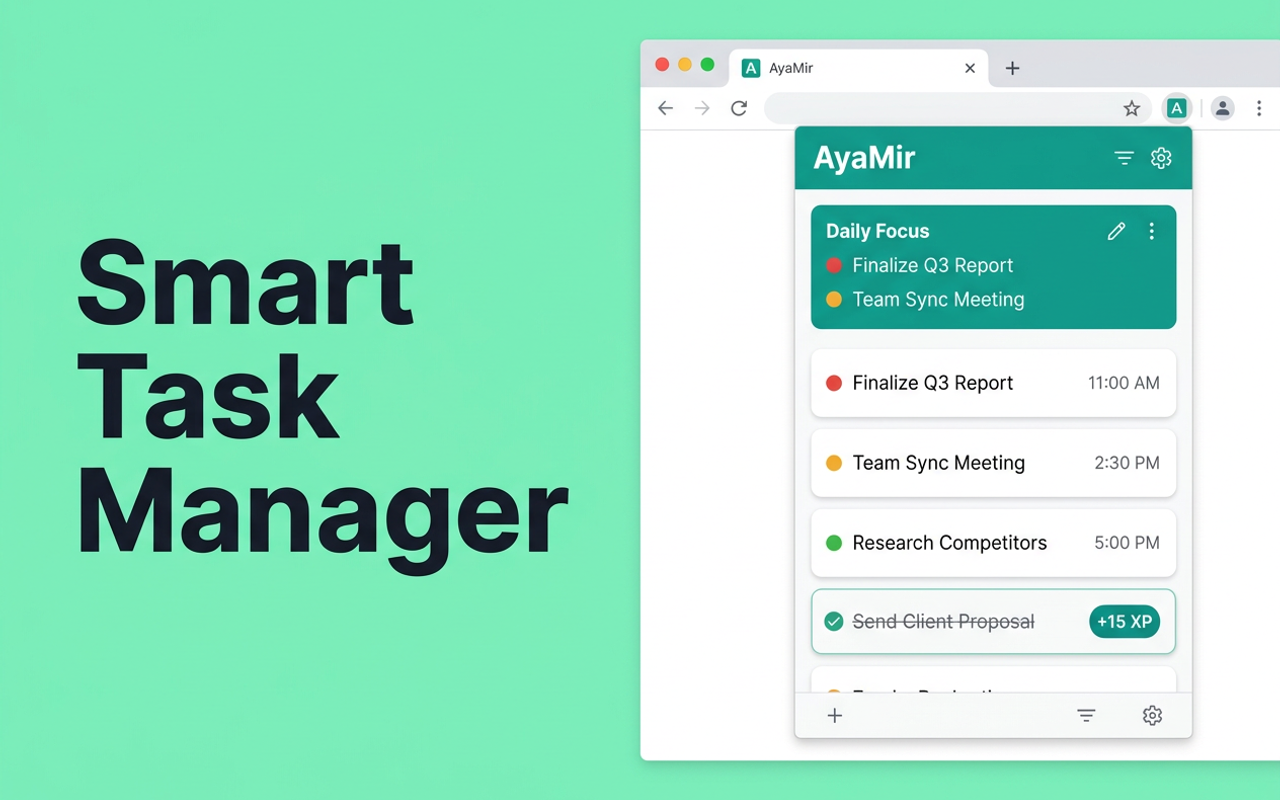
Smart Task Queue
Prioritized tasks with inline editing, snooze, auto-capture URL from current tab.
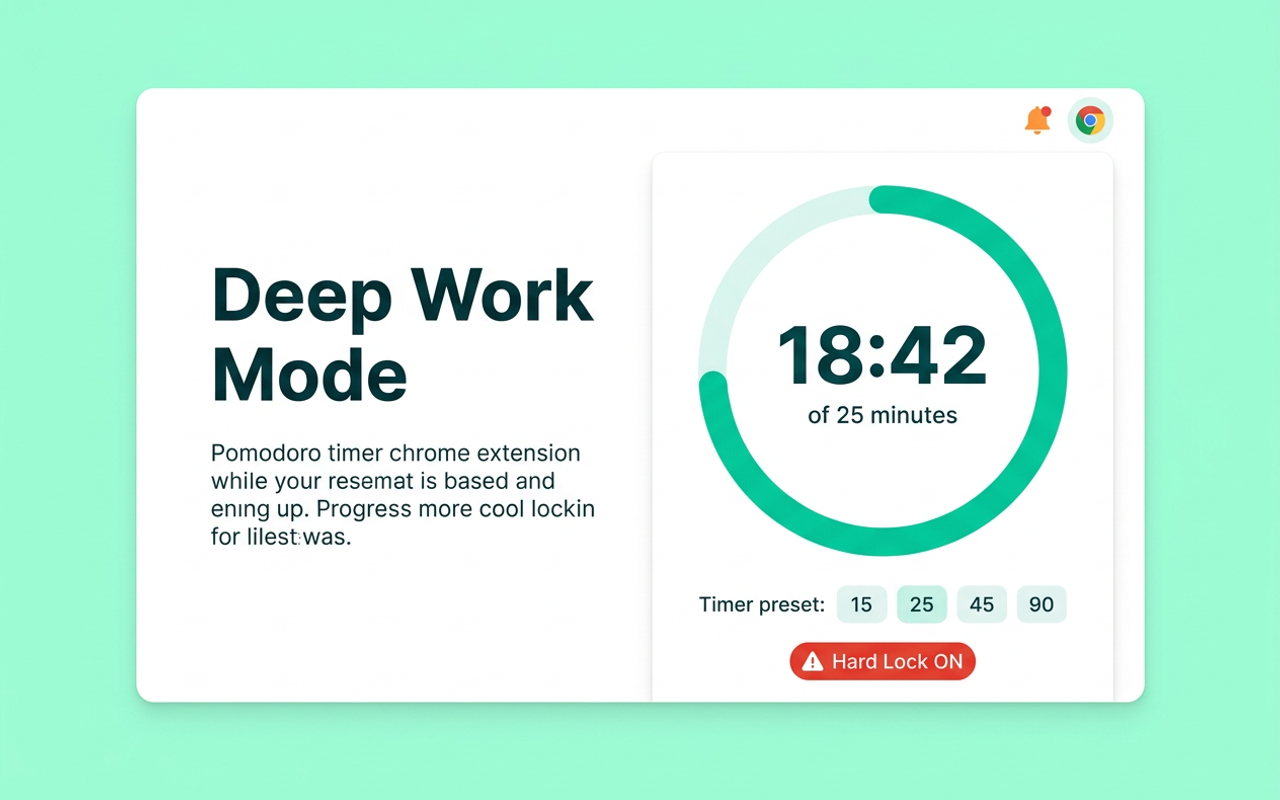
Deep Work Mode
Pomodoro timer with 15/25/45/60/90 min sessions. Circular progress ring. Hard Lock option.
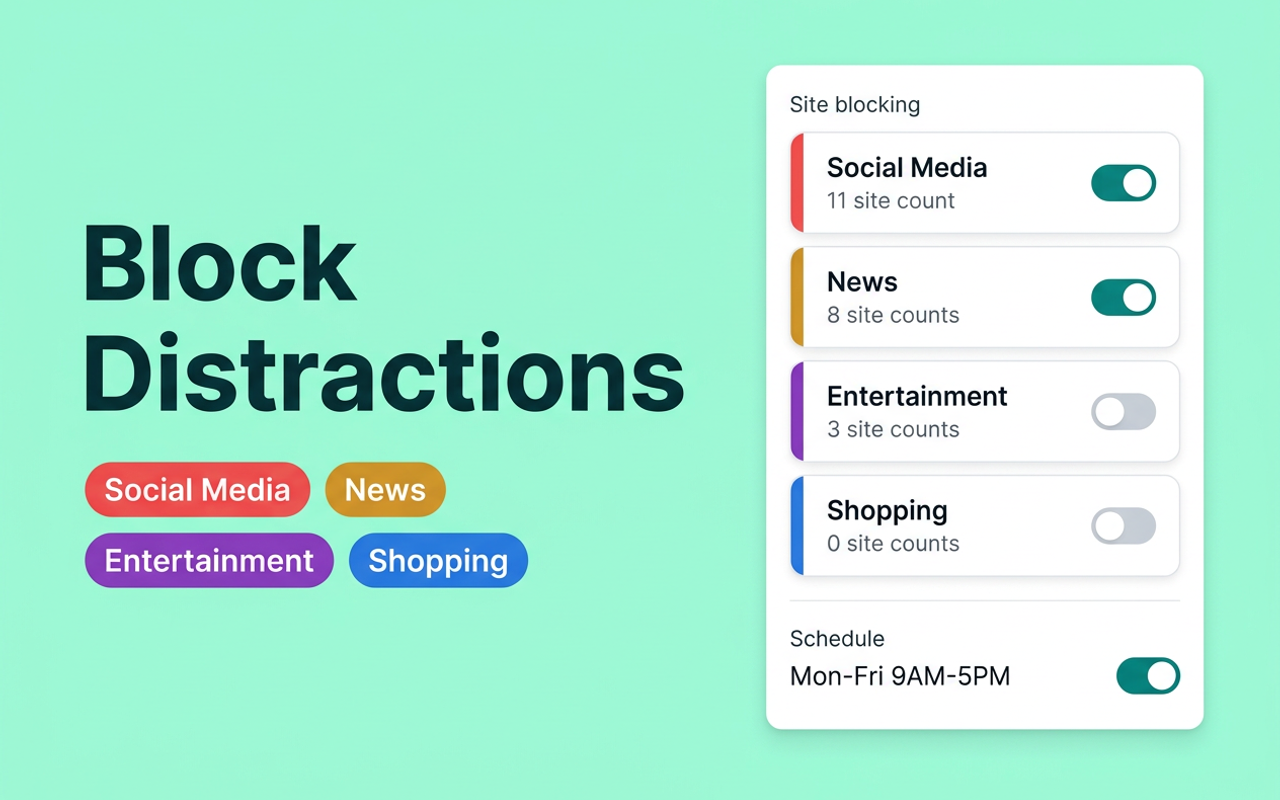
Site Blocking
29 pre-configured sites across Social, News, Entertainment, Shopping. Add custom domains.
Typing Penalty
When using the quote-based bypass, type the displayed quote to continue.
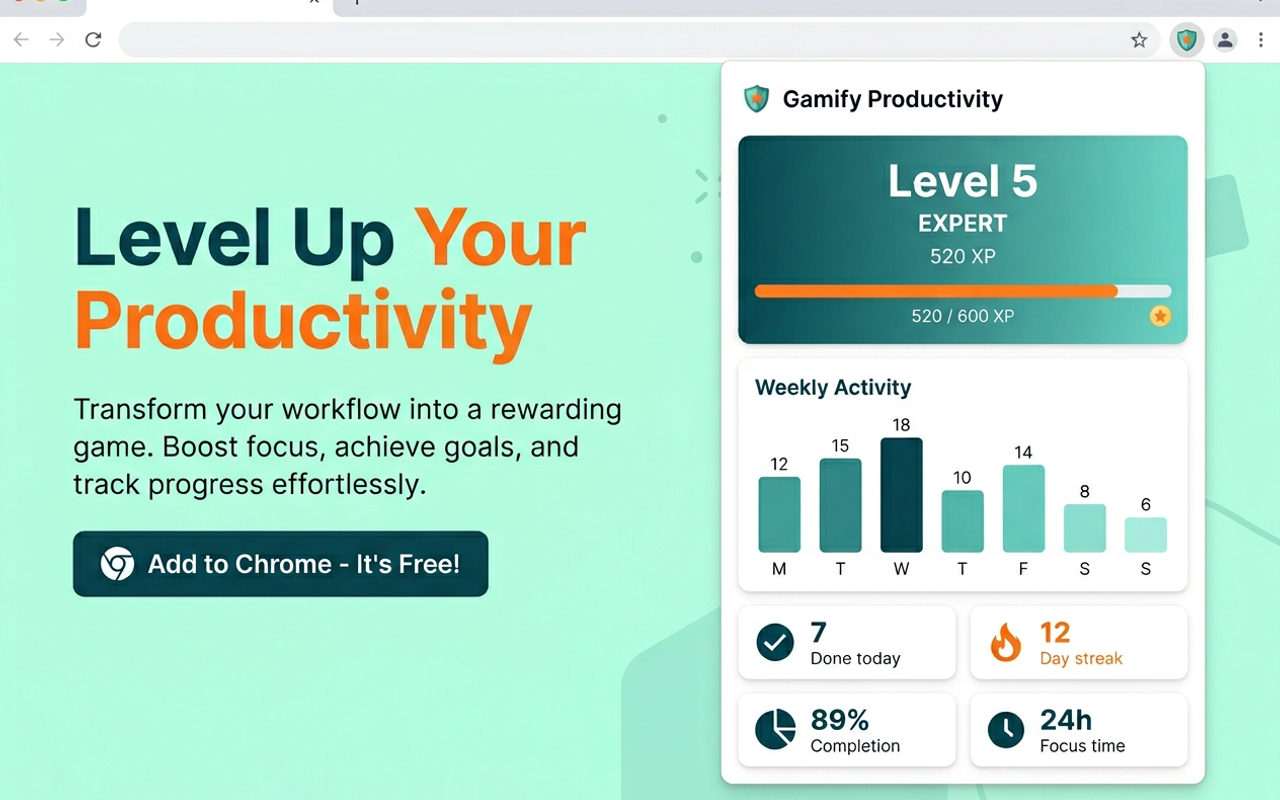
Focus Analytics
Session history, weekly chart, streaks. See how your focus time stacks up.
Gamification
XP system, 10 levels, 8 achievements, daily streaks. Stay motivated long-term.
Scheduled Blocking
Auto-block distracting sites during work hours. Set it once, forget about it.
5 Languages
English, Russian, Spanish, Chinese, Hindi. Fully localized interface.
100% Local
No servers. No accounts. No tracking. All data stays on your device.
Data Export/Import
Full JSON backup and restore. You own your data completely.
See It in Action
How It Works
Install
Add AyaMir to Chrome in one click. No account needed.
Choose Sites
Open Focus and choose the sites to pause. Hard lock is optional.
Focus
Choose 25 minutes or another duration and start your session.
Take a Break
Finish the session, take a break, then choose your next task.
Built With
Privacy First
100% local. Zero tracking.
AyaMir has no servers, no accounts, no analytics, no cloud sync. All your tasks, sessions, and settings stay on your device. Always. We don't even know you installed it.
Read full privacy policy →Comparison
AyaMir vs Alternatives
| Feature | AyaMir | StayFocusd | Cold Turkey | Forest |
|---|---|---|---|---|
| Task Manager | Yes | No | No | No |
| Pomodoro Timer | Yes | No | No | Yes |
| Site Blocker | Yes | Yes | Yes | No |
| Gamification (XP) | Yes | No | No | Yes |
| Free Core Features | Yes | Yes | No | No |
| No Account Required | Yes | Yes | Yes | No |
| Works Offline | Yes | Yes | Yes | No |
| Open Source | Yes | No | No | No |
| Command Palette | Yes | No | No | No |
| Hard Lock Mode | Yes | No | Yes | No |
FAQ
Is AyaMir really free?
Yes. All core features — tasks, Pomodoro, site blocking, gamification — are free. No ads, no tracking. Open source under MIT License.
Does AyaMir collect my data?
No. AyaMir makes zero network requests. All tasks, settings, and statistics stay in your browser using IndexedDB and Chrome Storage API. Nothing ever leaves your device.
How is AyaMir different from StayFocusd or Cold Turkey?
AyaMir combines a task manager, Pomodoro timer, website blocker and gamification in one extension. It is free and open source; compare the individual features you need when choosing a tool.
Can I use AyaMir as a Pomodoro timer?
Yes. AyaMir includes a full Pomodoro timer with presets (15, 25, 45, 60, 90 minutes), break timer, circular progress ring, and Hard Lock Mode that prevents canceling.
Does AyaMir work offline?
Yes. AyaMir makes zero network requests and works completely offline. All features work without internet.
Ready to focus?
Free. No account. No setup. Just install and start your first deep work session.
More free browser extensions