
Vanish SEO Guide
How to hide Google AI Overviews in Chrome
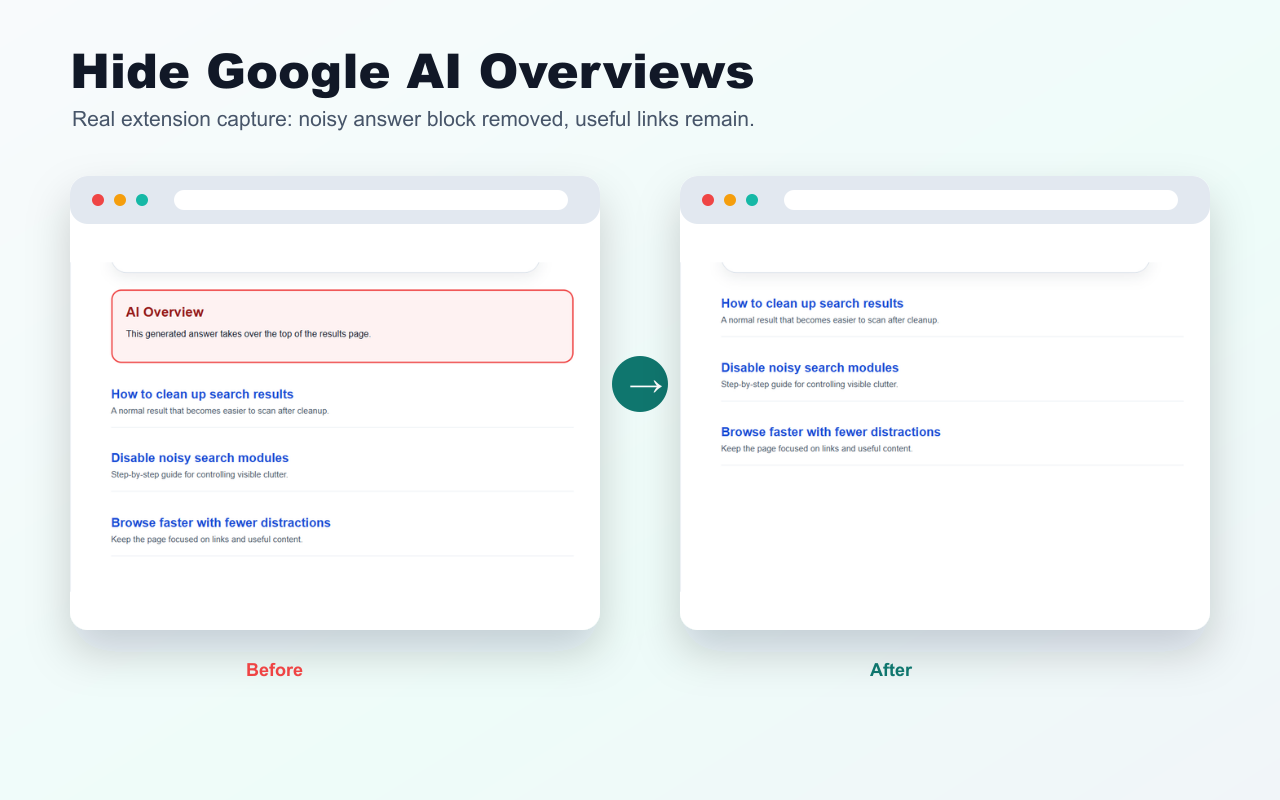
The simplest way to hide Google AI Overviews in Chrome is to use a browser extension that removes the visible AI Overview block locally. Vanish is built for that exact job: it hides AI Overviews and other selected webpage elements without sending browsing data to a server.
Last updated: April 26, 2026
Direct answer
Vanish hides Google AI Overviews by applying local cleanup rules in your browser. It does not modify your Google account, does not proxy your searches and does not upload search pages to a remote service.
Steps
- Install or load Vanish in Chrome.
- Open Google Search.
- Keep the Google AI cleaner enabled in the Vanish popup.
- Search normally. Vanish hides the AI Overview block locally.
- If you need the original page, pause Vanish on that site or restore hidden elements.
Why use a local extension?
| Method | Best for | Tradeoff |
|---|---|---|
| Vanish | Local hiding plus saved rules for other webpage clutter. | Requires installing an extension. |
| Manual query tricks | One-off searches where you do not want an extension. | Easy to forget and not a persistent cleanup workflow. |
| Custom CSS filters | Technical users who maintain their own rules. | Harder to manage and debug for normal users. |
Privacy model
Vanish stores cleanup rules in browser local storage. It does not collect browsing history, page contents, personal information or analytics events. Read theVanish privacy policyfor the exact permission rationale.
Try Vanish
Vanish also hides popups, cookie banners, sticky widgets, sidebars and other elements you manually select.
Open Vanish landing pageFAQ
Can I hide Google AI Overviews with Vanish?
Yes. Vanish includes a deterministic local cleaner for Google AI Overview blocks and can also hide other selected elements on pages you use.
Does Vanish change my Google account settings?
No. Vanish does not change your Google account, search engine settings or browser profile. It only hides visible page elements locally in your browser.
Does hiding AI Overviews affect normal search results?
Vanish is designed to hide the AI Overview block while leaving normal organic results visible. If a page changes, you can pause Vanish or restore hidden elements.