Track AI Overviews in Semrush: Citations vs Organic Rankings
This article contains affiliate links — I may earn a commission at no extra cost to you. Disclosure
How do you track AI Overviews in Semrush correctly?
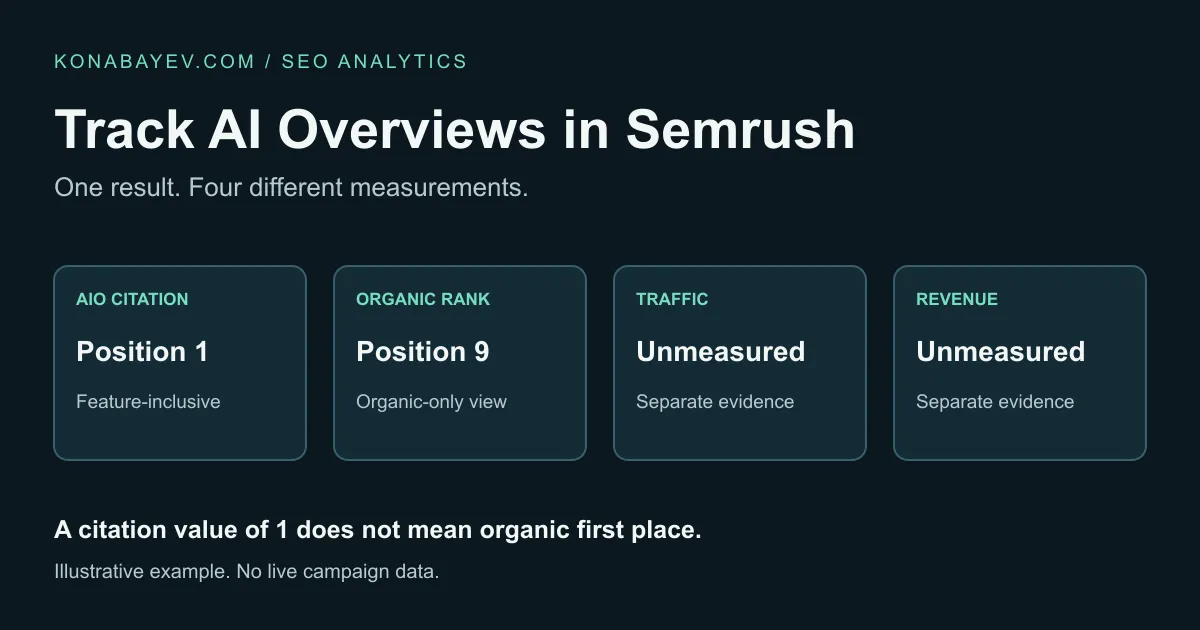
Use Position Tracking to identify AI Overview citations in a defined Google keyword campaign; verify feature presence separately for uncited queries. Compare feature-inclusive and organic-only positions. Semrush documents a citation as position #1, even when the ordinary organic result ranks lower. That value does not establish organic first place, citation order, a click or a conversion.
Promotional content: I may receive a reward from Semrush through the Semrush Creator Accelerator if this article qualifies, and I may earn commissions from the marked affiliate links.
This is a documentation-based workflow, checked against the linked sources on October 29, 2026. The numerical example is synthetic, not a live campaign export or a claim about this site’s performance. Download the AI Overview measurement worksheet to apply the method to your own observations.
1. Separate the four things a report can measure
A brand can be mentioned without receiving a linked citation. A citation can appear without generating a visit. A visit can arrive without producing a sale. Treat each as a different observation with its own source.
| Question | Evidence to retain | What it does not establish |
|---|---|---|
| Was an AI Overview present? | Dated Google SERP observation for the target query, location and device | That the target domain was cited |
| Was our domain linked as a source? | Citation URL and the corresponding saved result | That the page was first in ordinary organic results |
| Did someone visit from Google Search? | Search Console clicks or an appropriate analytics session record | That this particular citation caused the visit |
| Did a useful business action occur? | A defined conversion event in the relevant analytics or business system | That AI Overview visibility caused the conversion |
These distinctions address a practical measurement problem: a convincing report can contain individually valid numbers that answer different questions. The correction is to label each number before comparing it, rather than searching for one “AI performance” total.
For the wider reporting structure, use the five-metric AI search report. Here the job is narrower: interpret a Semrush AI Overview row correctly and retain enough context to reproduce the finding.
2. Understand what Semrush’s AI Overview #1 means
Semrush’s AI Overview documentation says that when a domain is cited as a source, Position Tracking records it as a #1 ranking, regardless of the page’s position in the ordinary organic results below. The same guide documents a SERP features toggle for viewing rankings with or without AI Overviews factored in.
That is useful when the question is “did our domain appear in this feature?” It becomes misleading when someone reads the value as “our article is the first organic listing.” Nor does the documented value tell you that your link is the first citation inside the answer.
Suppose a saved result contains a link to your guide in an AI Overview and the guide also appears ninth in the ordinary organic results. Retain both observations: cited in AI Overview; organic position 9. Replacing the second with the first destroys information the team needs to judge conventional search performance.
Preserve the report’s feature setting alongside every export or screenshot. If a historical chart suddenly improves, first ask whether a feature setting, target or keyword cohort changed. Do not assign that improvement to editorial work until the measurement basis is comparable.
This is a product-specific interpretation rule, not evidence that Semrush’s data is faulty. The appropriate view depends on the question being answered. A feature-inclusive position can communicate an appearance in the feature; an organic-only view answers a different ranking question.
3. Define the campaign before adding more keywords
Use a campaign for the domain you want to measure. The Semrush guide describes setting the target location, device type and keyword list before collecting positions. Save those settings as part of the baseline, rather than leaving them implicit in an account.
Choose a small, relevant cohort first. Include queries the site can answer well, with a clear business reason for monitoring them. A workflow for a Kazakhstan audience and one for a US audience should not silently share a geographic denominator. Mobile and desktop observations also need their own labels.
| Baseline field | Example setting, illustrative | Reason to retain it |
|---|---|---|
| Target domain | your-site.example | Prevents comparing different domain scopes |
| Google target location | United States | Keeps the market explicit |
| Device | Desktop | Keeps the device explicit |
| Keyword cohort | Four fixed example queries | Keeps additions from looking like improvement |
| Observation date and time zone | Recorded in the worksheet; confirm any export fields | Makes time comparisons interpretable |
| Position view source | Organic: AI Overviews excluded; citation: included | Explains the two separate position columns |
The example location is not a recommendation to target the US. Use the market your customers actually search in. Do not infer that a documented campaign option is included in every subscription or supported for every target.
If your team needs this recurring workflow, check Semrush’s current plans and tracking access (affiliate link). Confirm the keyword capacity, targets and features you need before buying. An existing suitable account is the sensible place to start.
4. Collect presence, citations and organic position separately
After the campaign has collected data, open Overview and use SERP features to inspect AI Overviews. Semrush’s documentation describes the domain-appears-as-source view. This subset is useful for finding cited queries; it is not the denominator for every AI Overview opportunity in the campaign.
Use the following collection procedure:
- Keep the original, complete keyword cohort and the date of the check.
- Identify which observed results contain an AI Overview. Retain a saved SERP or another clearly named evidence source for that field.
- For those results, record whether the target domain has a linked source, and save the cited URL where observed.
- For a cited row, record the documented AIO value in
aio_position_when_cited. - Use the feature toggle to inspect the ordinary organic position and record it in
organic_only_position. Setposition_view_sourceto identify the two views used. - Save the target settings and evidence reference with the row.
The Semrush guide also describes Keyword Overview > SERP Analysis for inspecting AI Overview source pages. Use it to examine a specific query, while keeping its dataset and observation time distinct from the campaign record.
When a result cannot be inspected, write unknown, not no AI Overview or not cited. For a completely observed row without a citation, enter not_applicable in aio_position_when_cited. A failed observation is missing data, which is different from a rule that does not apply. Likewise, do not count an unlinked brand mention as a citation simply because the brand name appears in the answer.
A manual Google check can provide context, but its location, device, timing and personalization may differ from the tracking observation. Preserve both records when they disagree. One fresh manual search does not overwrite a historical campaign result, and one campaign snapshot does not represent every user’s answer.
5. Work through a small example before reporting percentages
The following is a synthetic worksheet example with four fully observed queries in one declared location, device and snapshot. It is not a Semrush export. Its purpose is to make the denominator and the position distinction easy to inspect. The worked-example CSV contains the same four fictional rows.
Presence without a citation needs per-query SERP evidence, such as Keyword Overview SERP Analysis or a saved result, with its own dataset and observation time. The domain-as-source filter only supplies cited rows.
| Example query | AI Overview present? | Target domain cited? | Organic-only position | Documented AIO position when cited |
|---|---|---|---|---|
| Query A | Yes | Yes | 9 | 1 |
| Query B | Yes | No | 6 | Not applicable |
| Query C | Yes | No | 4 | Not applicable |
| Query D | No | No | 11 | Not applicable |
Three different ratios answer three different questions:
- AI Overview presence in this panel: 3 of 4 observed queries = 75%.
- Citation coverage among AI Overview observations: 1 of 3 = 33.3%, rounded to one decimal place.
- Citation coverage across the complete observed panel: 1 of 4 = 25%.
Those figures describe this tiny example only. They are not population estimates, industry benchmarks or promised results. “Citation coverage” here is a declared worksheet calculation, not a claim that a Semrush report uses that exact label or formula.
The organic positions have a simple unweighted mean of 7.5: (9 + 6 + 4 + 11) / 4. If a spreadsheet incorrectly substitutes the citation’s 1 for the organic 9, its mean becomes 5.5: (1 + 6 + 4 + 11) / 4. The spreadsheet appears to improve by two positions even though the example’s ordinary organic results have not moved.
This arithmetic is a warning about mixing fields in your own report. It is not a reconstruction of Semrush’s campaign Visibility formula, which should not be inferred from a four-row average.
For repeat observations, count the declared unit consistently. A query observed on two dates creates two query-date observations. Adding mobile results adds another target dimension. If the panel changes, compare the unchanged cohort separately before announcing a trend.
6. Use Prompt Tracking for a separate AI measurement question
Keyword tracking of Google AI Overviews does not answer every question about AI answers. A team may also need to know which sources appear for a fixed set of prompts in ChatGPT Search, Google AI Mode or Gemini.
Semrush’s Prompt Tracking documentation describes that workflow inside the AI Visibility Toolkit. It says access requires an AI Visibility Toolkit subscription and describes daily tracking for a custom prompt set. This is a separate scope from treating a Google AI Overview citation as position 1 in a keyword campaign.
The documented setup is AI Visibility > Prompt Tracking, then Add new target. Select the supported search engine, specify the available location and language settings, add the prompts, and start tracking. Inspect cited domains and pages in the Sources report. Separately, in Overview > Rankings Overview, use View SERP in the SF column to open the saved response.
Keep this as a second table: prompt text, AI engine, available target settings, observation date, brand mention, linked source and saved evidence. Do not append prompt citations to the Google keyword table and call the combined result one citation rate. The units and answer environments differ. The documentation currently limits Prompt Tracking to desktop and excludes Estimated Traffic; these are not controls for measuring every device or calculating visits.
If this second question matters to your business, check current Semrush AI Visibility Toolkit access (affiliate link). Verify the prompt capacity and supported targets in the current offer. Buying a keyword tracking plan should not be assumed to include every AI Visibility feature.
Use the existing AI citation log template for broader manual prompt research. The worksheet attached to this article instead focuses on Google AI Overview presence and the position interpretation problem.
7. Keep Google clicks and business outcomes in their own records
Google’s AI features and your website guide says traffic from AI features is included in Search Console’s overall Web performance data. A page’s total Web clicks should therefore not be relabeled “AI Overview clicks.” A simultaneous rise in citations and Web clicks is a reason to investigate, not a click-level attribution record.
Retain the GSC property, date range, page and query filters, country and device where used. Compare equivalent completed periods. A campaign’s daily keyword sample and a Search Console page total are different datasets, even if both concern the same website.
For outcomes, choose an event that actually matters: a qualified inquiry, signup or verified affiliate action. A citation is not a sale, and an outbound affiliate click is not a confirmed commission. Record the event definition and attribution limits before presenting a revenue conclusion.
The GA4 and PostHog referral guide covers another distinct task: checking identifiable AI assistant referrals. Google Search feature traffic and assistant referrals should not be merged merely because both involve AI.
8. Turn the worksheet into a specific next action
Use the blank collection sheet for your observations and keep the synthetic example separate. Fields such as presence, citation URL and organic position are editorial observation fields; they are not advertised as the column names of a native Semrush export.
Use the result to choose a bounded follow-up:
| Finding | Useful next action |
|---|---|
| Domain cited; ordinary organic rank still weak | Report the citation separately and investigate the ordinary ranking issue |
| AI Overview present; target domain not cited | Inspect actual source pages for missing evidence or a different intent |
| Apparent ranking jump disappears when the feature is excluded | Correct the reporting label before attributing the change to SEO work |
| Prompt mentions rise without more owned citations | Investigate the cited sources rather than claiming link growth |
| Data missing or targets changed | Repair the comparison before judging performance |
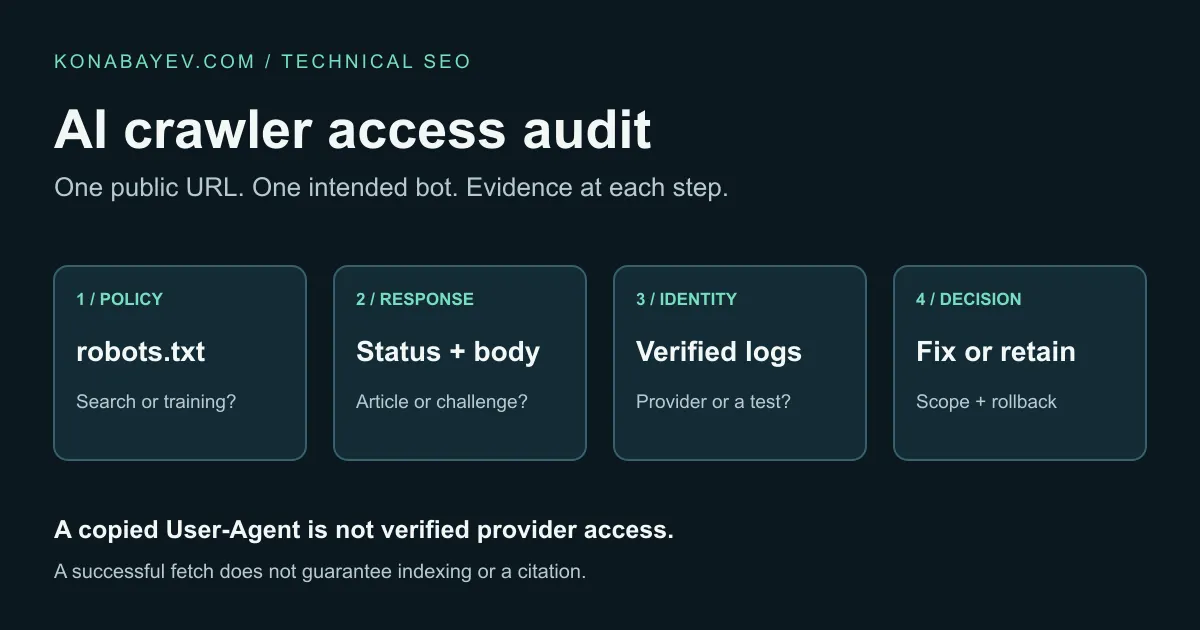
If the intended page cannot be fetched, use the AI crawler access audit before proposing a rewrite. If you need to select a different tracking product, the rank tracker comparison owns that buying decision. This workflow does not require another broad content rewrite or a new tool purchase to explain an existing row.
Last verified: October 29, 2026. Recheck current report controls and subscription access before implementing the workflow.
FAQ
Why does Semrush show #1 when my organic result is lower?
Semrush documents AI Overview citations as position 1 in Position Tracking, regardless of the ordinary organic position. Inspect the feature setting and retain the organic-only position separately.
Does an AI Overview position of 1 mean the first citation?
The documented Position Tracking value does not establish citation order. It indicates the domain was cited under that feature’s ranking treatment. Save the result if citation placement matters to your analysis.
Is Prompt Tracking the same as AI Overview keyword tracking?
No. Prompt Tracking in the AI Visibility Toolkit monitors selected prompts on supported AI engines. Google AI Overview keyword tracking concerns a defined Google search campaign. Keep their units, targets and observations separate.
Can I call all GSC Web clicks AI Overview clicks?
No. Google’s guide includes AI-feature traffic in overall Web performance data. A page or query total alone does not identify which clicks came from an AI Overview.
How should I calculate citation coverage?
Declare the denominator. In the synthetic example, one cited result out of three AI Overview observations is 33.3%; one out of all four observed queries is 25%. Exclude unknown observations from measured rates and disclose the missing data.
Does better citation coverage prove affiliate revenue growth?
No. Coverage, visits, affiliate clicks and confirmed commissions are different measurements. A revenue claim needs its own transaction evidence and a defensible attribution method.
AI Marketing Revenue Leak Audit
$500 founding audit with a revenue leak map and 30-day fix plan.
View service detailsGoogle Preferred Sources
See more of my research in Google
Add Konabayev.com as a preferred source to find more fresh marketing and AI research in Google Search.
Have a relevant product or documented use case? View sponsorship formats and editorial requirements.