AI Crawler Access Audit: Robots.txt, WAF and Bot Logs
This article contains affiliate links — I may earn a commission at no extra cost to you. Disclosure
How do you check whether AI crawlers can access a page?
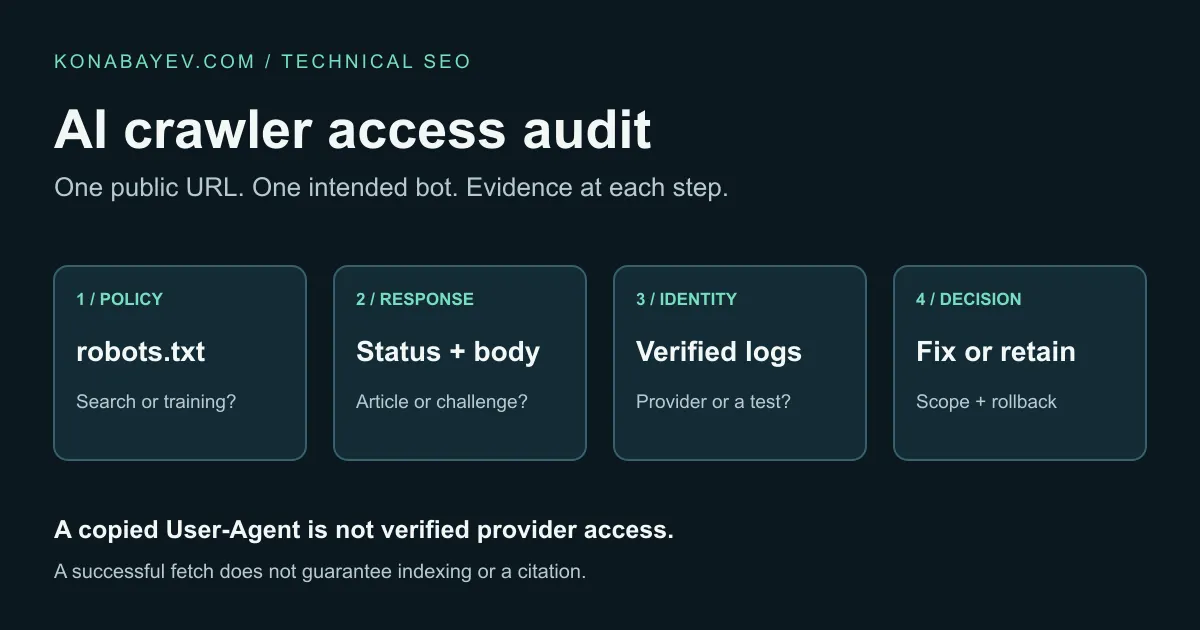
For a request-generating bot, check robots.txt, the HTTP response and page body, then corroborate access with verified provider requests where logs are available. For a policy-only control such as Google-Extended, audit the robots policy and mark request-test fields not applicable. A copied User-Agent tests your request, not OpenAI’s network.
Promotional content: I may receive a reward from Semrush through the Semrush Creator Accelerator if this article qualifies, and I may earn a commission from the marked affiliate link.
The useful output is a decision about one public URL and one bot or control: access is intentionally restricted, a specific failure needs fixing, or the evidence is incomplete. This is a documentation-based procedure with an original audit worksheet; no provider-network test was performed for this article.
Download the blank AI crawler access worksheet. It records the policy, request evidence, responsible owner and retest result together. Start with an important article or product page; a home-page pass does not establish that every path works.
1. Pick the bot and the business decision
An instruction to “allow AI” is too vague to implement. A company may want its public guides discoverable in search while retaining an opt-out from model training. Those choices require different controls.
The following distinctions come from OpenAI’s crawler documentation and Google’s AI features guide, checked for this draft on October 29, 2026.
| Bot or control | Documented role | Audit question |
|---|---|---|
| OAI-SearchBot | Crawls for ChatGPT search | Can the intended public URL be crawled under our search policy? |
| GPTBot | Collects content that may be used to train OpenAI foundation models | Is our training policy implemented as intended? |
| ChatGPT-User | Fetches for certain user-initiated actions; not automatic web crawling | What happened during this particular user-triggered fetch? |
| Googlebot | Crawls for Google Search, including its AI features | Can Google crawl the page, and is it eligible for indexing and a snippet? |
| Google-Extended | Controls AI training and grounding in some other Google systems through robots.txt | Does the separate use policy match our decision? This is a policy check, not a Googlebot fetch test. |
OpenAI says ChatGPT-User is not what determines inclusion in Search, and robots.txt rules may not apply to its user-initiated actions. A passing ChatGPT-User fetch therefore does not prove OAI-SearchBot access. An intentional GPTBot block is also not automatically an SEO error.
Name the desired result before opening an audit tool. For example: “OAI-SearchBot should be able to fetch this public buying guide; private customer pages stay protected.” That statement is specific enough for an engineer to investigate and a marketer to approve.
2. Record the policy before testing the network
Save a dated copy of the published robots.txt for the exact hostname serving the page. Record the URL’s path, the relevant bot token, the effective rule and whether that rule reflects an intentional business decision. Check a redirected hostname separately when one is involved.
Read the complete applicable policy. Finding one Allow line by searching the file is not a reliable verdict on a particular URL. Preserve any private-path restrictions when reviewing proposed changes, and ask the site’s technical owner to resolve ambiguous rule matching rather than replacing the file with a blanket allow list.
Then separate crawl access from what happens after a fetch. A noindex directive does not create a firewall block; a login page delivered with HTTP 200 is not the intended public article. Record redirects, the final canonical URL and any indexing or snippet directives as distinct findings.
For Google AI Overviews and AI Mode, Google’s guide says a supporting page must be indexed and eligible to appear in Search with a snippet. There are no additional technical requirements specific to those features. Googlebot access is a prerequisite to investigate, not a promise of a citation.
Use the broader technical SEO checklist for canonicals, navigation and indexability. This audit focuses on the narrower question of who can fetch which page and what the response contains.
3. Use Semrush to find policy and crawl issues at scale
A manual check is useful for a disputed URL. Semrush Site Audit adds a repeatable way to find similar issues across the pages included in a crawl.
Semrush’s Blocked from AI Search documentation describes a robots.txt-based check for specified AI bots in the Crawled Pages report. Its AI Search Health guide also documents an OpenAI-Search User agent option and an AI Search filter in Issues.
Interpret each reported token using its provider’s documentation: a robots.txt finding for ChatGPT-User does not prove a user-triggered fetch is blocked, and a Google-Extended restriction is not a Googlebot finding. Do not turn those different policies into one blanket search-access switch.
For an existing account, use the documented sequence:
- Open or set up a Site Audit campaign for the domain you control.
- Check the crawl scope and limits so the affected URL is actually included.
- Review Crawler settings and the documented User agent option for this check.
- Run the audit, then inspect AI Search Health, Blocked from AI Search and the relevant Issues rows.
- Save the affected URLs, identified bot restrictions and audit date in the worksheet.
A crawler setting is not provider identity. Even when a tool uses an OpenAI-style User-Agent, its requests do not become verified requests from OpenAI’s published network. Use the report to locate policy or response problems, then corroborate a disputed WAF block with request evidence.
If you need recurring checks across a larger site, check Semrush plans and Site Audit access (affiliate link). Confirm the included crawl capacity and features before paying; no particular plan price or trial is assumed here. For one public page, the manual checks below can still be useful without buying a subscription.
4. Inspect the response body, not just HTTP 200
Run a small test only against a site you own or are authorized to audit. Replace the reserved example URL below with the public URL. These commands save two ordinary GET responses: a labeled baseline request and a request carrying a bot-like string. They do not authenticate a provider bot.
url='https://your-site.example/your-public-page/'
bot_ua='Mozilla/5.0 (Macintosh; Intel Mac OS X 10_15_7) AppleWebKit/537.36 (KHTML, like Gecko) Chrome/131.0.0.0 Safari/537.36; compatible; OAI-SearchBot/1.4; +https://openai.com/searchbot'

curl --silent --show-error --location --max-redirs 3 \
  --max-time 20 --proto '=https' --proto-redir '=https' \
  --user-agent 'AccessAudit/1.0' \
  --dump-header baseline.headers --output baseline.html \
  --write-out 'status=%{http_code} final=%{url_effective}\n' "$url"

curl --silent --show-error --location --max-redirs 3 \
  --max-time 20 --proto '=https' --proto-redir '=https' \
  --user-agent "$bot_ua" \
  --dump-header bot-string.headers --output bot-string.html \
  --write-out 'status=%{http_code} final=%{url_effective}\n' "$url"
Inspect both saved bodies for the article title, a distinctive sentence from the main content, and any challenge or authentication message. The *.headers files contain the redirect chain as well as the final response, so do not mistake an intermediate 301 for the final result.
The second command uses OpenAI’s documented example User-Agent; its version can change. Curl returns HTML without executing JavaScript. For the Googlebot leg, Google’s guide recommends URL Inspection to inspect the HTML received by Googlebot; a raw curl body is not a rendered-browser test.
Interpret a difference carefully. A 403 only on the second request is evidence that this request was treated differently. It does not identify the blocking rule or establish that a genuine provider request would fail. An identical 200 can still contain an empty application shell or challenge page instead of the article.
A timeout is inconclusive: it can involve DNS, TLS, network conditions or the server. Stop on rate limiting and follow the operator’s retry instructions. Do not rotate addresses or change fingerprints to evade a protection system. The next step is an authorized log check, not more aggressive probing.
5. Corroborate the result with verified request logs
Ask for the smallest useful slice of CDN and origin evidence: timestamp and time zone, hostname, requested path, source IP, User-Agent, edge action or rule, and response status. Keep the unredacted logs in the operator’s private system; the worksheet needs a reference to them, not a public copy.
Verify identity using the provider’s current documented method. For the OpenAI bots above, the official documentation links their respective published IP lists. Compare the request source with the correct current list; a User-Agent string alone is insufficient. Do not assume every provider uses the same reverse-DNS convention.
Consider the following illustrative record: a verified OAI-SearchBot request reaches the correct public path, the CDN records a block action, and no matching request reaches the origin. That supports investigating the edge rule. By contrast, an origin-only log with no bot request cannot distinguish “the provider did not request it” from “the CDN stopped it first.”
If you lack log access, give hosting support the exact URL, approximate timestamp with time zone, intended bot and saved response. Request the matching edge event and its verified identity status. Until that evidence arrives, mark the result unconfirmed. A marketer can complete the preliminary checks without pretending to have completed network verification.
| Observation | Defensible interpretation | Next step |
|---|---|---|
| robots.txt intentionally disallows the chosen bot | Policy restriction | Confirm whether the business wants to retain it |
| Bot-string test returns a challenge | That test did not receive the article | Identify the corresponding edge event |
| Verified provider request is blocked at the CDN | Evidence of an edge access failure for that request | Review the named rule and affected public scope |
| Verified request succeeds, but the page is not indexed | Fetch success; indexing still unresolved | Investigate indexing and page signals separately |
| No matching request in available logs | Insufficient evidence of a request | Check coverage, time window and the CDN layer |
6. Make a scoped fix and preserve a rollback
Do not disable bot protection across a domain because an article is missing from an answer. Resolve the observed failure at the layer that produced it.
Cloudflare’s AI bot policy documentation distinguishes Search, Agent and Training behavior and provides different blocking choices. That is a reason to inspect the actual zone configuration, not infer it from a vendor name or a headline about defaults. Other rules may also affect a request.
A useful change request contains the affected public path, intended bot, evidence reference, responsible operator, proposed narrow change and a rollback trigger. For example: “Review the rule blocking this verified search-bot request to the public guide; preserve protections for authenticated paths and training bots.” The operator chooses the implementation appropriate to that environment.
Agree what would cause a rollback before making the change: unexpected load, a broader access change than intended, or interference with protected routes. Retest the same URL and inspect subsequent verified requests when available. Preserve both the before and after evidence rather than merely changing the worksheet’s verdict to “fixed.”
7. Close the audit with a bounded finding
The worksheet uses one row per URL and bot or control. Keep policy status, simulated-request status and verified-request status in separate columns. For a request-generating bot, a blank verified-request field is a collection gap; it is not a successful provider fetch. For Google-Extended, request tests, identity verification and request logs are not_applicable: its policy is audited through robots.txt, not a separate Google-Extended fetch. The template prefills those cells accordingly.
A useful closure note reads: “The intended search bot was blocked by this robots rule, the rule was corrected for the approved public scope, and the next audit no longer reports that restriction. Verified provider fetch remains unobserved.” Another valid outcome is “The training block is intentional; no change required.”
Neither statement claims more than the evidence supports. If a verified request receives the intended article but visibility remains weak, move to the AI visibility decline checklist rather than repeatedly loosening access. Use the crawler benchmark for a different question: how a retrieval tool performs on a declared test set.
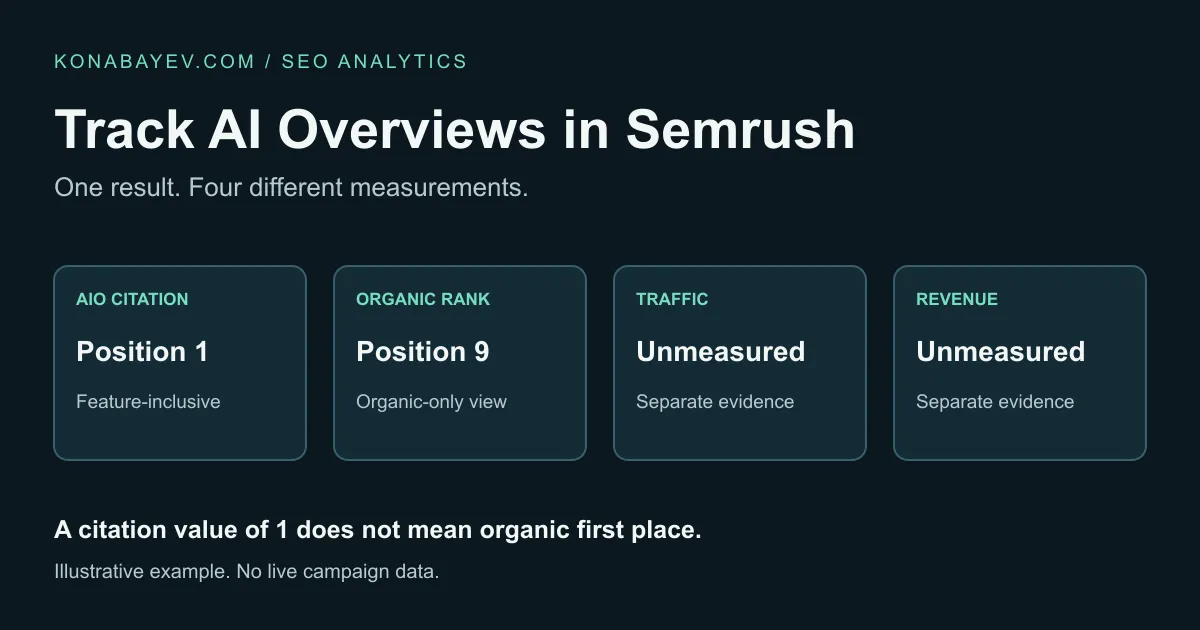
Track later citations and traffic separately. The Semrush AI Overview workflow keeps citations distinct from ordinary organic positions; the five-metric AI search report covers the wider reporting structure. An access fix can remove an obstacle; it cannot select your page for an answer or establish revenue by itself.
Last verified: October 29, 2026. Bot policies and product controls can change; verify the linked documentation before implementing a change.
FAQ
Does allowing GPTBot enable ChatGPT search visibility?
GPTBot concerns potential model-training use. OAI-SearchBot is the OpenAI crawler documented for ChatGPT search. Evaluate their policies separately; allowing either bot does not guarantee a citation.
Does a curl request with a bot User-Agent prove access?
It proves what happened to your test request. It does not prove that the provider’s verified crawler can fetch the page. Corroborate a provider-access finding with appropriately verified request evidence.
Can Semrush identify AI bot restrictions?
Yes. Its Blocked from AI Search check reports specified robots.txt restrictions for audited pages. AI Search Health also documents an OpenAI-Search User agent option. Those checks do not independently prove access from the provider’s network.
Should I disable Cloudflare bot protection?
Investigate the effective policy and matching request first. If a permitted, verified search bot is blocked, have the operator correct the specific failure while preserving protections for other traffic and private paths.
What if I cannot see server or CDN logs?
Save the URL, timestamp with time zone and test response, then request the matching event from hosting support. Record provider access as unconfirmed until sufficient evidence is available.
Does successful crawling guarantee an AI Overview citation?
No. Google says supporting pages must be indexed and eligible for a Search snippet. Crawl access alone does not guarantee indexing, selection as a source, clicks or revenue.
AI Marketing Revenue Leak Audit
$500 founding audit with a revenue leak map and 30-day fix plan.
View service detailsGoogle Preferred Sources
See more of my research in Google
Add Konabayev.com as a preferred source to find more fresh marketing and AI research in Google Search.
Have a relevant product or documented use case? View sponsorship formats and editorial requirements.